
Checklists are more than task lists; they list every important step of a process to help you stay on track and avoid oversights. We have created a wide range of checklist templates for different needs, from housekeeping and daily chores to weddings, moving, first apartments, workplace tasks, and event planning. Each template includes the essential items suited to its purpose to help you get started and can be customized to add, remove, or adjust tasks so the checklist fits your exact situation.
Checklist Templates
Stock Inventory Checklist Template


Event Preparation Checklist Template


New Client Onboarding Checklist Template

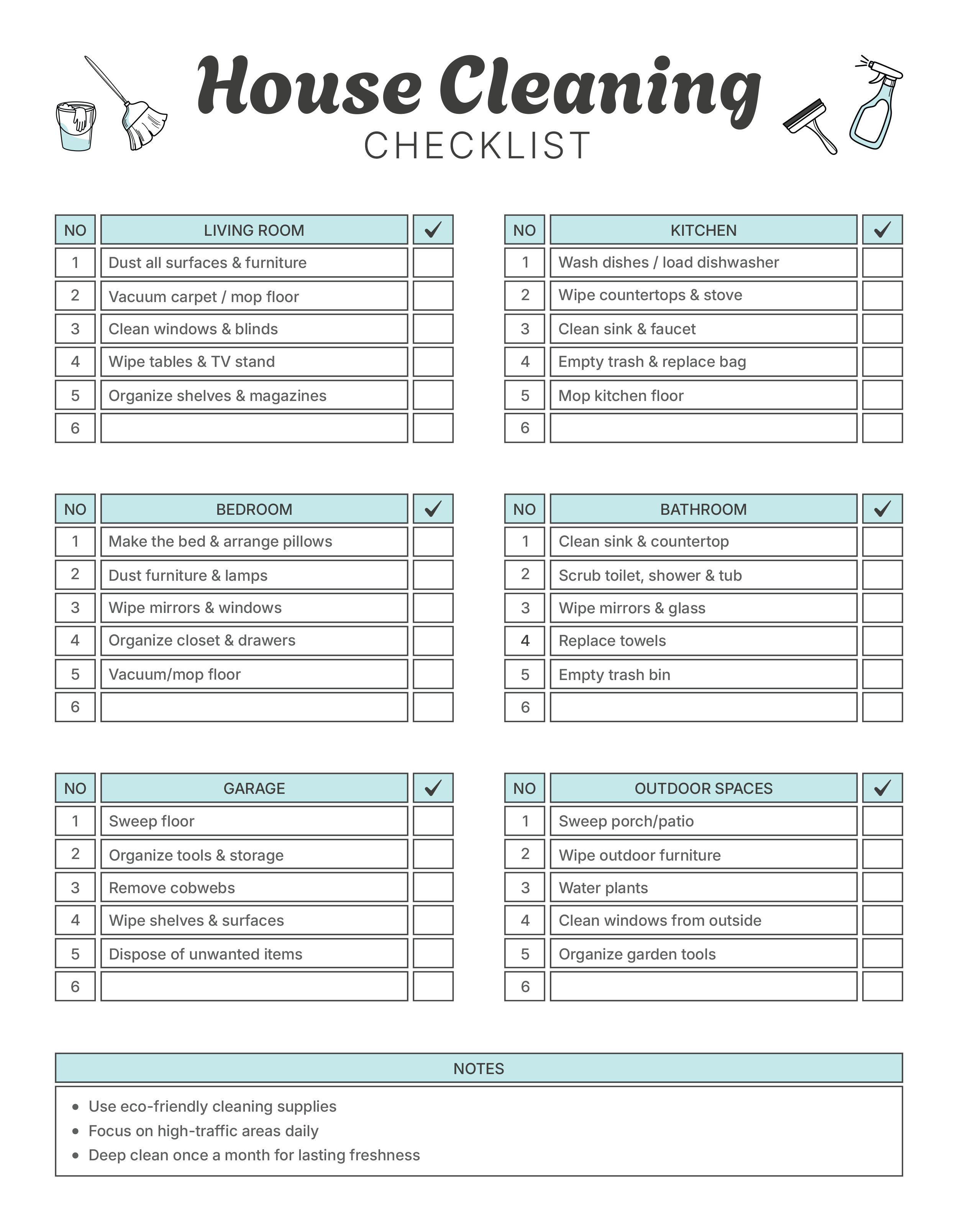
House Cleaning Checklist Template
Weekly Checklist Template

Daily Task Checklist Template

Daily Checklist Template

School Day Checklist Template

Kitchen Cleaning Checklist Template

Office Cleaning Checklist Template

Onboarding Checklist Template

Event Planning Checklist Template

Employee Termination Checklist Template

Self-Care Checklist Template

Party Planning Checklist Template

Cleaning Service Checklist Template

Travel Checklist Template

Wedding Planning Checklist Template

Inventory Checklist Template

Event Organization Checklist Template

Marketing Event Checklist Template

Backpacking Checklist Template

Wedding Checklist Template (12 Months Before)

Restaurant Checklist Template

Task Checklist Template

Event Management Checklist Template

Moving Checklist Template


Equipment Checklist Template

Monthly Checklist Template

Personal Protective Equipment Checklist Template

Shopping Checklist Template

Event Preparation Checklist Template

Home Inspection Checklist Template

Safety Checklist Template

Quality Control Checklist Template


Property Management Checklist Template

Vehicle Maintenance Checklist Template

Housekeeping Checklist Template

Product Launch Checklist Template


Chore Checklist Template

Marketing Event Checklist Template


Business Startup Checklist Template


Car Inspection Checklist Template


Commercial Cleaning Walk Through Checklist


Project Checklist Template

How to Customize and Use These Checklist Templates
These checklist templates are available in different formats, each with its own way of editing, sharing, and printing. Here is the breakdown for each format and how to customize them:
PDF and Illustrator
PDF versions are useful if you want something ready to print or fill digitally. You can type into form fields, tick boxes with a reader, or add comments and highlights. Illustrator files go a step further, letting you adjust colours, fonts, and layouts at the design level before exporting a final copy.
Excel
Excel checklists are interactive, with built-in checkboxes you can tick as tasks are completed. You can apply filters or conditional formatting to sort items or highlight priorities, and progress can be tracked with counts or percentages. While the templates already include basic automation, you can adapt them further by adjusting formulas, layouts, or formatting to fit your own requirements. Before printing, review the page setup so columns and rows display neatly.
Microsoft Word
Word templates are useful for creating printable checklists. You can replace the sample text with your own items, add or remove rows as needed, and adjust formatting for readability. Word checklist templates include checkable boxes and are pre-populated with entries according to the topic to get you started. When finished customizing, save the file in Word for future updates or export it as a PDF for sharing or printing.
Google Docs and Google Sheets
Google Docs is suited for collaborative checklists where you can add items, insert checkboxes, and share the file so others can edit or complete tasks in real time. Google Sheets adds interactive options such as cell-based checkboxes, filters, and conditional formatting to highlight progress or priorities. If you want collaborators to only mark tasks as complete without changing other details, you can protect specific cells while leaving the checkboxes unlocked.
PowerPoint and Google Slides
PowerPoint and Google Slides templates are designed for checklists that need visual presentation. They display tasks using numbered lists, icons, or check marks and can be edited to match specific colors, fonts, or styles. These formats are also practical for creating printable checklists where visual design is a priority, since moving elements around and layout adjustments are easier than in Word or Excel.
FAQs
Checklists reduce oversights by putting every step where you can see it. They also create repeatable consistency for tasks you run more than once, such as housekeeping cycles, event run-throughs, onboarding, and inspections, so results don’t depend on memory. When more than one person is involved, a checklist clarifies ownership and timing, speeds hand-offs, and records what was completed and when. That record is useful later for reviews, audits, and vendor or team follow-ups.
Yes. Edit item names, reorder tasks, and rename headings so they mirror your workflow. Keep task lines short and action-oriented (verb first), and add concise notes only where context is needed. For recurring work, keep a clean master and duplicate it for each event, room, project or week; this keeps the master consistent while giving you freedom to adjust copies. If you manage long lists, consider grouping items into sections (for example, planning, execution, wrap-up) so progress is easier to monitor without scrolling through unrelated tasks.
Yes. Google Docs and Google Sheets can be used for live editing, comments, and simple permissions, which works well when several people need to check off items or add notes. Protect header rows and any calculated cells in Sheets so collaborators only tick tasks or add comments. Excel files can be shared from cloud storage with version history; use specific file names (for example, EventName_2025-09-10_Checklist_v2) so updates are easy to track. For teams that need read-only visibility, share a PDF snapshot alongside the editable file to avoid accidental changes.
All templates can be printed after basic page setup. Choose the correct paper size (Letter or A4), preview margins, and switch orientation if multi-column layouts clip. For grayscale printers, rely on icons or patterns in addition to colour so items remain readable. Increase checkbox and line spacing if you intend to mark items by pen. When you finish a run, save a dated PDF copy; this keeps a clean record and avoids overwriting your working file.


